
In order to start using API we have to add a new API user and allowed IP addresses - System - Users - API. The API key can be generated automatically after clicking on generate button.
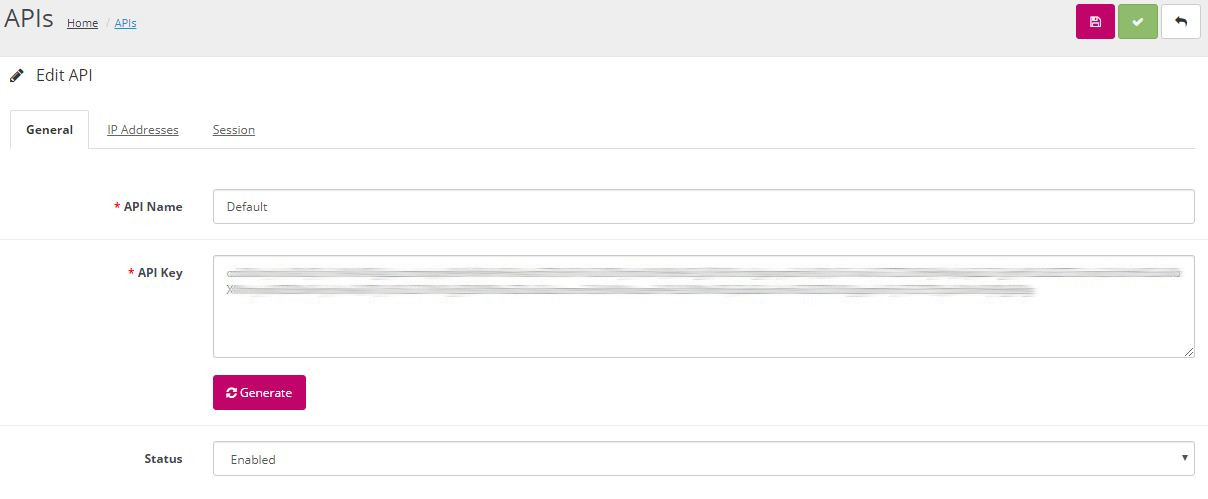
After creating the API Key, we can login into the fesh. API using the created API key:
<?php
	$url = "http://yourdomain/index.php?route=api/login";
	$params = array(
		'key=%your-api-key%'
		);
	$parameters = implode('&', $params);
	$ch = curl_init();
	curl_setopt($ch,CURLOPT_URL, $url);
	curl_setopt($ch, CURLOPT_RETURNTRANSFER, 1);
	curl_setopt($ch,CURLOPT_POST, $parameter_count);
	curl_setopt($ch,CURLOPT_POSTFIELDS, $parameters);
	//execute post
	$result = curl_exec($ch);
	//close connection
	curl_close($ch);
	print_r($result);
?>
If everything was done right, you'll get json-response with api_token for your session. Check site admin API page, edit API user and open "Sessions" tab - you can see established session.
